We ship a lot of features. Big, splashy ones that change how you use the system. But some of our favourite updates are the quieter ones. The kind where a staff member taps a button and thinks "oh, that's new... that's nice." Version 1.2.3 is full of those moments.
Let's start with the login screen. If one of your operators signs off mid-sale and their items get parked, you used to have no way of knowing until they logged back in and the cart reappeared. Now, every staff button on the login screen shows a parked sale indicator. A small amber line appears below their name: "3 Items · £24.50". At a glance, the manager can see who left items behind, how many, and what it's worth. It fits neatly inside the existing button without changing the layout. Subtle, but immediately useful.
For our Waiter app users, we've added table transfer. Previously, if a group wanted to move from the bar to the restaurant, your waiter had to ask a POS operator to handle it. Now they can do it themselves: tap the occupied table, hit Transfer (blue button), pick the target table from a grid, confirm, done. The order moves, the locks update, the table list refreshes. No POS operator needed, no walking across the venue.
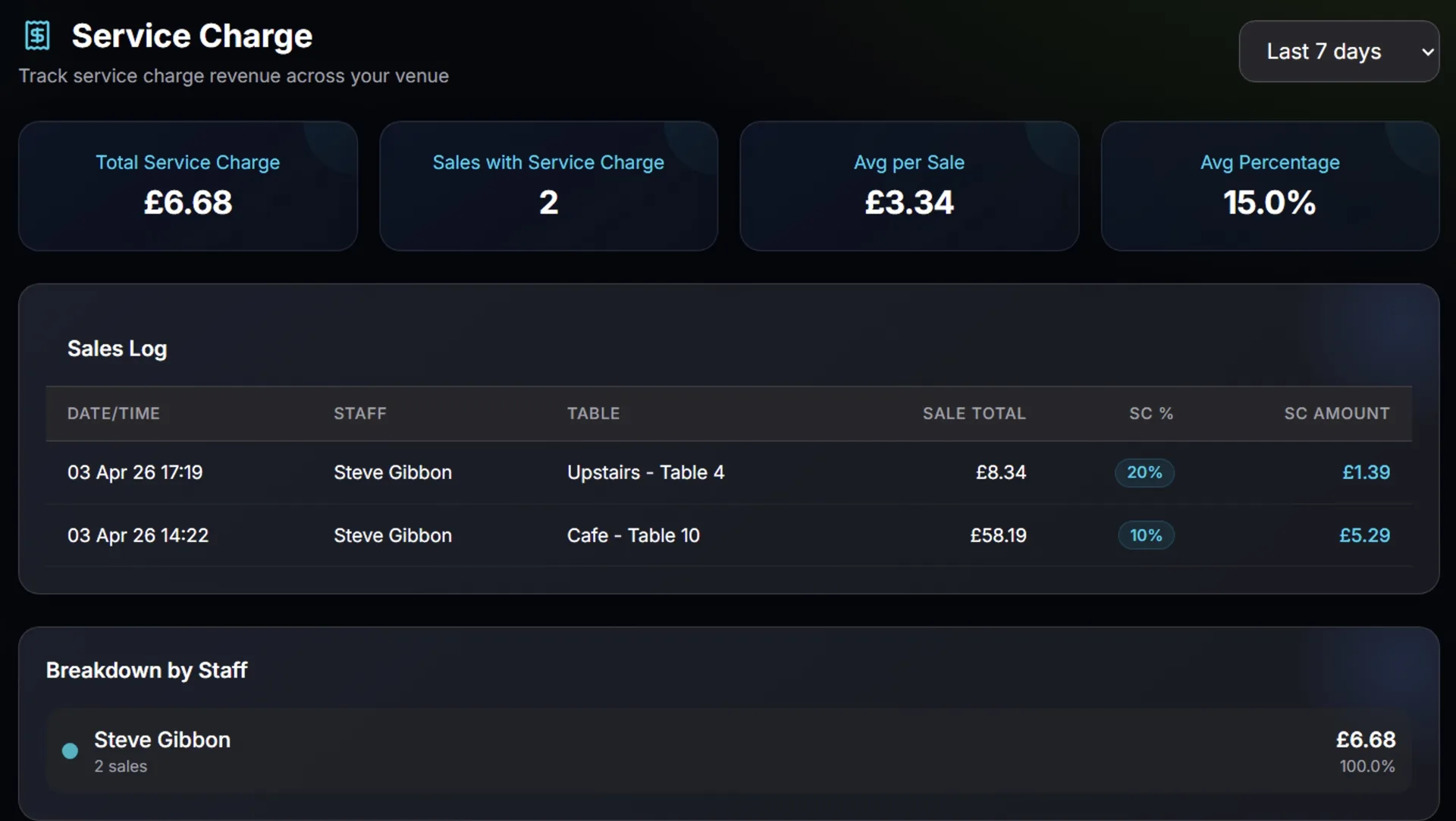
On the back office side, we've added a dedicated Service Charge Report under Reports. If you use service charge on any of your rooms, this gives you the full picture: total collected, number of applicable sales, averages, and breakdowns by staff member, by room, and by day. There's also a complete sales log so you can drill into individual transactions. The report only appears in the sidebar when you've actually configured service charge on at least one room, so it stays out of the way for venues that don't use it.
And a quick quality-of-life fix for Windows POS: toast notifications (those little confirmation messages that pop up when you complete an action) have moved from the bottom-right corner to bottom-centre. They were overlapping the payment buttons on some screen sizes, which meant you'd occasionally tap a toast instead of the Cash button during a busy service. Small thing, big annoyance, now fixed.