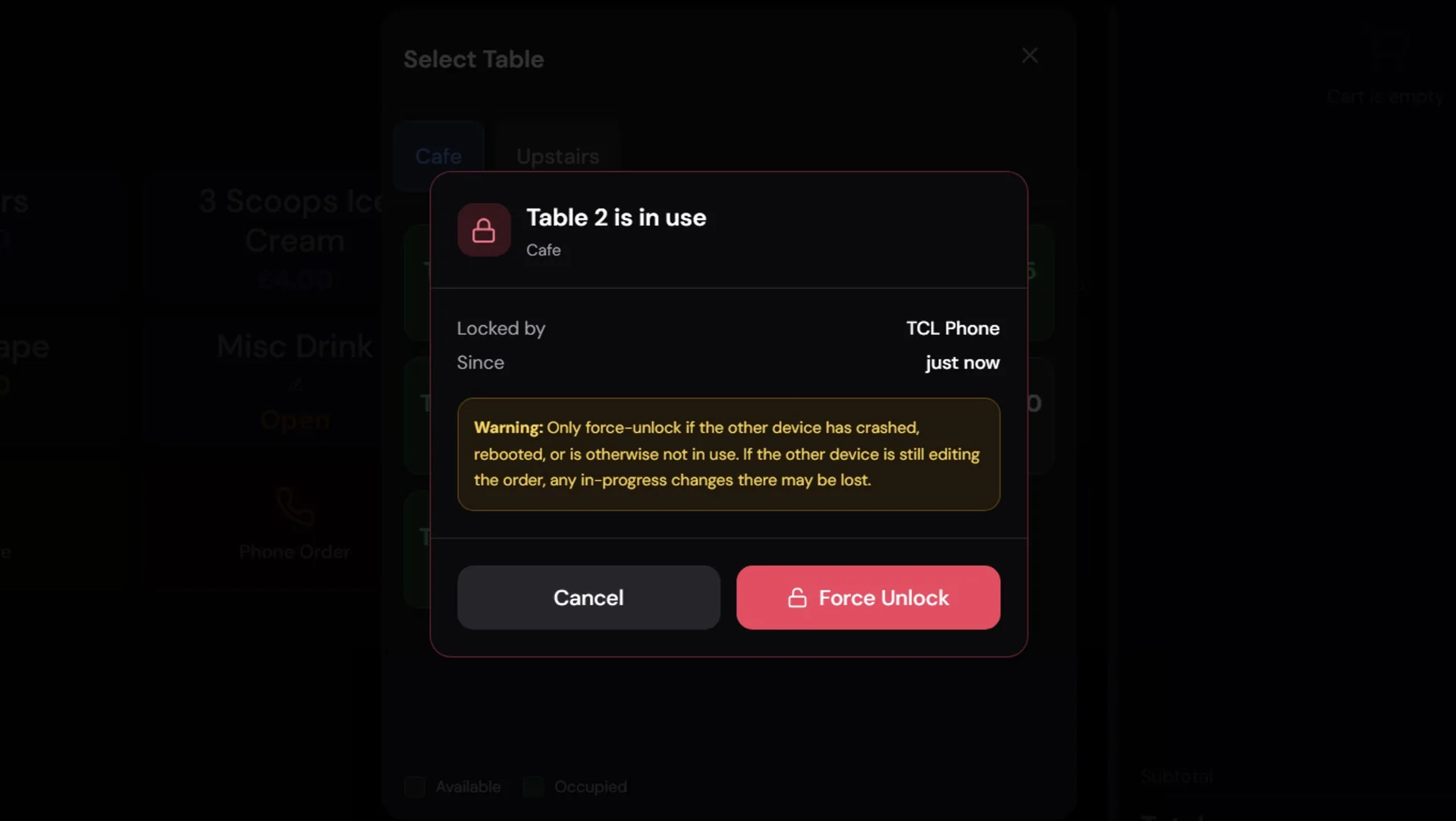
This one started with a support ticket: "The table just won't open. It says it's in use on Bar Terminal but that tablet rebooted an hour ago." A stuck lock. It shouldn't happen, but when a device crashes mid-order, the cloud lock is left behind with nobody to release it. The table sits there, flashing red, inaccessible, until someone asks us to poke the database.
That's not good enough. So we fixed it properly.
Force Unlock
When you tap a locked table now, instead of a dismissive toast message, you get a proper modal. It tells you who locked it and when, and gives you a Force Unlock button with a clear warning about the consequences. Tap it, and the lock clears, an audit entry lands in the Corrections report (so you can see who unlocked what and when), and the table auto-opens with its cart ready to go.
It works on all four POS apps and the Waiter app. No security gate for now — any staff member can unlock a stuck table. We might add a toggle later if tenants want to restrict it to admins, but the immediate priority was unblocking service.
Order Notes
This is one of those "why didn't we do this sooner" features. A lot of kitchens have the same instructions going through over and over: No onions. Well done. Allergy — nuts. Extra hot. Staff have been typing these manually every time, which is slow and error-prone on a touchscreen.
Now you can pre-define common notes in the back office (Product Setup → Order Notes) and they appear as amber quick-tap chips inside the existing Add Note modal on all POS apps. Tap one and it appends to the text field. Tap another and it adds that too, separated by a semicolon. You can still type custom notes alongside them — the chips just save the repetitive ones.
The modal expands to fit however many notes you've defined. On Windows it sits above the on-screen keyboard. On Android it's a scrollable flow layout. iPad gets a custom wrapping layout. Same amber styling everywhere.
Cancel Sale Security on Table Summary
We had a gap. The Cancel Sale button in the Options menu correctly respected the staffCancelSale security setting — but the Cancel Order button on the Table Summary modal didn't. Staff who shouldn't be cancelling sales could still cancel a table order from the table plan. Now the button is hidden unless the security setting allows it, matching the rest of the system.
Cancel Table Audit Trail
Related: cancelling a table order now logs every item to the Corrections report with reason "table_cancelled." Previously, the items just vanished — printed on a cancel ticket but not recorded anywhere in the system. If you need to know what was on that table and who cancelled it, it's in the Corrections report now.
Kitchen Print Reliability
We tracked down a report where drinks printed to the bar receipt printer but food didn't print to the network kitchen printer. The root cause was a 1-second TCP timeout — far too aggressive for a thermal printer that might be finishing a previous print job or dealing with a momentary network hiccup.
Three changes:
- Timeout bumped to 5 seconds — still fast enough that a genuinely dead printer fails quickly, but covers the common transient slowness.
- Half-close TCP verification — instead of declaring success when the OS accepts bytes into its buffer, we now wait for the printer to close the connection, which means it actually read the data. If the printer doesn't close within 3 seconds, we log a warning but still treat it as a soft success.
- Per-IP mutex — concurrent prints to the same printer (e.g. two tables stored at the same moment) are now serialised so they don't clash on the wire.
And when a ticket does fail, you now get a red toast immediately — "Kitchen ticket could not be sent to Kitchen — queued for retry" — instead of a quiet badge you might miss during service.
Bar Tab Protection
We removed the delete icon from the Bar Tabs modal. It was too easy to accidentally tap and lose a tab. To close a tab now, you recall it and use Cancel Sale — which respects the security settings and logs corrections. Slower by one tap, safer by a lot.
iPad Cart Indicators
Small one: the iPad cart now shows the same violet dot (addons) and cyan message icon (notes) as the other POS apps. Previously it showed inline addon text under the item name. Now it matches everywhere — compact on the main row, detailed when you expand the item.