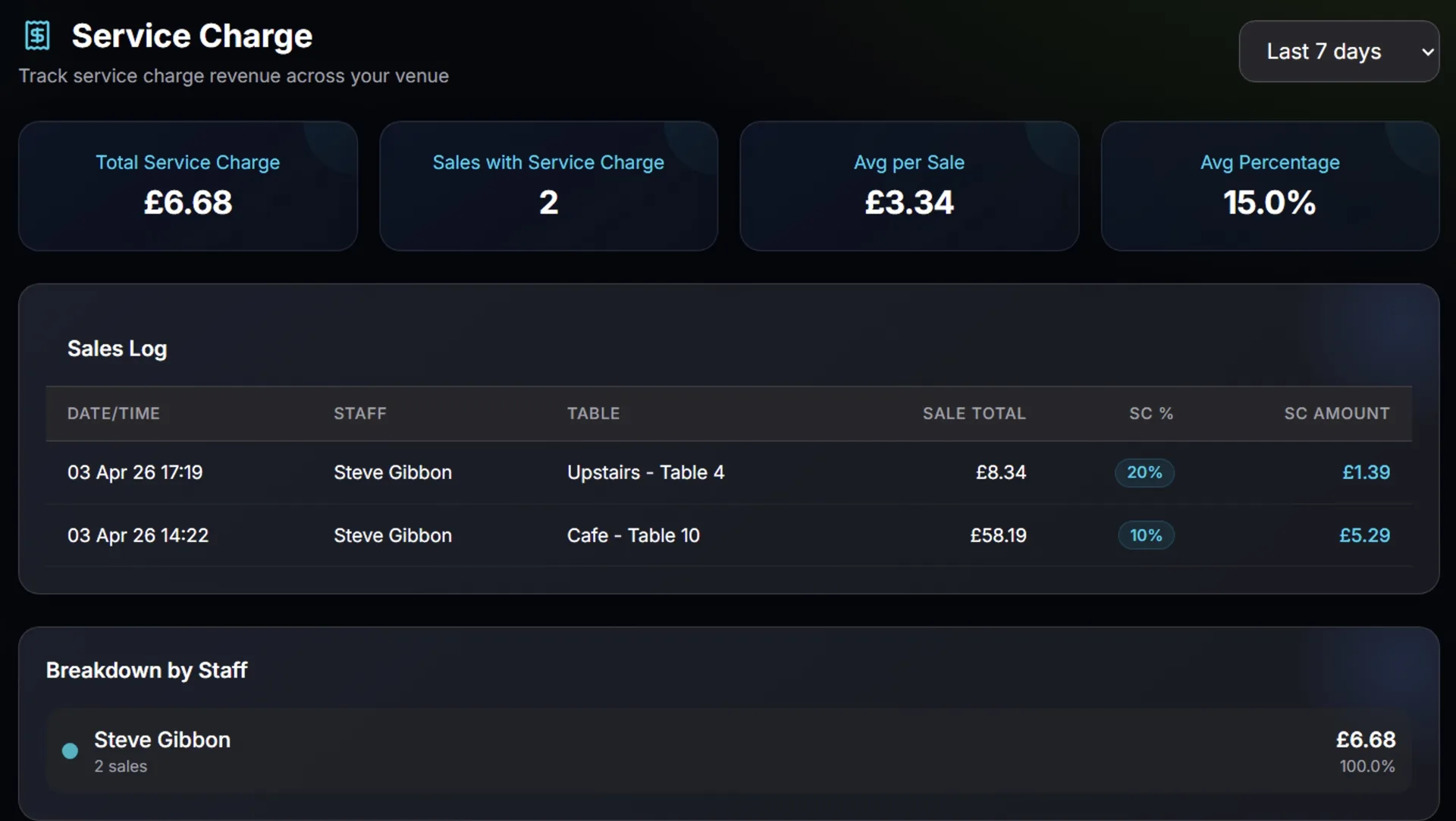
A few days ago one of our tenants got in touch. Their accountant was going through the quarterly figures and had some pointed questions. "Where's the Net breakdown on the category report?" "Why aren't tips showing on the VAT report?" "Can I see service charge separately?" All perfectly reasonable things to ask. And all things our reports didn't do. Until now.
So we went through every report in the back office and asked ourselves: if an accountant sat down with this, would they have everything they need? The answer was no, and that bothered us. We've spent weeks building features for the front of house, for the kitchen, for the bar. But the person who has to make sense of it all at the end of the quarter was being left to fill in the gaps with a calculator and a spreadsheet.
Here's what changed. The Group Report and Category Report have been completely redesigned. Gone are the pie charts (they looked nice but didn't tell you much). In their place: clean tables with Gross, Net, Items, and percentage share columns. Net is calculated properly, per item, with VAT extracted at each product's individual rate and proportional discounts factored in. Tips and Service Charge now appear as extra rows at the bottom, both at 0% VAT, so every pound that went through the till is accounted for.
The VAT Report got the same treatment. Tips and Service Charge now show as dedicated 0% lines alongside your standard and reduced rate breakdowns. Your accountant can see at a glance that yes, those amounts are tracked, and no, VAT was not charged on them. The PDF export includes everything too, so you can email it straight to your bookkeeper without touching a spreadsheet.
We also added an EOD Group Breakdown to the end-of-day report on all POS apps. It's essentially a mini version of the Group Report that prints right there on the thermal receipt or shows on screen when the shift closes. There's a toggle in back office POS Settings to enable it (it's on by default). And while we were in the EOD code, we aligned the device filtering across all four platforms. Previously the web POS was showing the entire business's figures for the day rather than just that terminal's sales. Now every device, whether it's Windows, Android, iPad, or web, shows exactly its own numbers since the last EOD. Consistent, predictable, correct.
These aren't glamorous features. Nobody's going to see them during a Friday night rush. But when your accountant opens your reports and everything just adds up, you'll be glad they're there. That's the kind of boring we're proud of.